Shipping Method by Category in WooCommerce
Set a shipping method by product category in WooCommerce: shipping classes vs conditional rules, the filter that hides methods, and how to handle mixed carts.
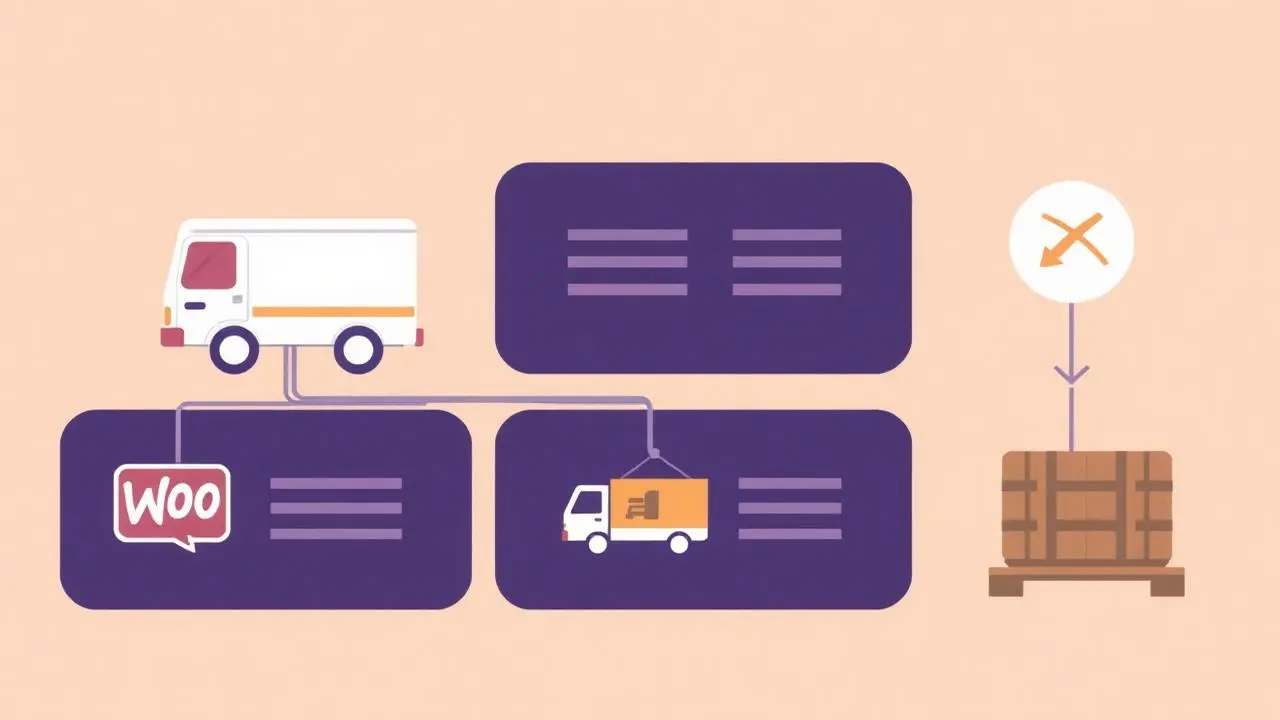
A store that sells both letterbox-sized accessories and two-metre furniture cannot offer the same shipping options for both. The parcel carrier that handles one will refuse the other, and the freight partner that handles the furniture is absurdly expensive for a €9 accessory. The fix is to decide the shipping method by product category so customers only ever see options that can actually deliver what is in their cart.
This guide separates the two mechanisms people confuse — shipping classes and conditional shipping rules — and then covers the mixed-cart case that breaks naive setups.
Shipping classes change the price, not the options
WooCommerce ships with shipping classes out of the box. You create a class such as *Bulky*, assign it to the products in a category, and then set a per-class cost inside each shipping zone's flat rate method.
That is the right tool when the method still works and only the price differs: a heavier class costs more to send by the same carrier. It is the wrong tool when the carrier cannot handle the goods at all, because the method stays on the checkout no matter what the class costs.
Classes also have a practical limit: they are assigned per product, not per category. Adding a class to a 400-product category means a bulk edit now and remembering the class on every new product later.
Conditional rules change which methods appear
When a category must not ship by a given method, you need the rate list itself filtered. WooCommerce calculates rates and passes them through `woocommerce_package_rates` just before the cart and checkout render, and anything removed there is gone from both the classic and block-based checkout.
```php add_filter( 'woocommerce_package_rates', function ( $rates, $package ) { $bulky_category = 'furniture'; $has_bulky = false;
foreach ( $package['contents'] as $item ) { if ( has_term( $bulky_category, 'product_cat', $item['product_id'] ) ) { $has_bulky = true; break; } }
if ( $has_bulky ) { foreach ( array_keys( $rates ) as $rate_id ) { if ( str_starts_with( $rate_id, 'free_shipping' ) || str_starts_with( $rate_id, 'local_pickup' ) ) { unset( $rates[ $rate_id ] ); } } }
return $rates; }, 10, 2 ); ```
Two details are easy to get wrong. Rate IDs are instance-based (`flat_rate:3`), so matching on the prefix is safer than hardcoding the instance. And WooCommerce caches shipping rates per session — clear the cart or bump the session after changing the rule, or you will test yesterday's rates.
Doing it without code
Once you have more than one or two rules, the snippet becomes the thing nobody wants to edit. Our WooCommerce Shipping Gateway Per Product plugin applies the same filter from rules you configure in wp-admin, per product or per category, so a shop manager can add a rule without a deploy.
| Shipping classes | Snippet on package rates | Rules plugin | |
|---|---|---|---|
| Changes price | Yes | No | No |
| Removes a method | No | Yes | Yes |
| Assigned per category | No (per product) | Yes | Yes |
| Editable by shop manager | Partly | No | Yes |
| Auditable later | Hard | Hard | Rule list in wp-admin |
Mixed carts: pick a rule and document it
A cart with one bulky item and one letterbox item has no single correct answer, so choose deliberately:
- Strictest wins. If any item forbids a method, remove it for the whole cart. This is the default you want: it never offers a delivery that cannot happen.
- Split shipment. Keep both methods and charge per package. Only viable if your fulfilment really can split an order, and it needs multi-package shipping configured.
- Block the combination. Add a cart notice asking the customer to order the bulky item separately. Blunt, but honest, and sometimes the only truthful option for freight.
Whatever you choose, confirm at least one method survives every combination. A cart with zero available shipping methods shows a bare "no shipping options" message and loses the sale silently.
Common category-level shipping rules that pay off
- Freight-only categories — hide parcel rates on anything over the carrier's size limit.
- Digital or virtual categories — no shipping at all; WooCommerce already skips shipping when every item is virtual, but a mixed cart needs a rule.
- Frozen or perishable goods — hide economy and standard post, leave only next-day or local delivery.
- Low-margin categories — hide free shipping so a €7 order does not cost €6 to deliver.
- Pickup-only stock — leave only local pickup, which is a specific case worth its own rule set; see hiding local pickup for specific products.
Test plan before go-live
Run these carts on staging and check the shipping options at both cart and checkout:
- Restricted category alone.
- Unrestricted product alone.
- Both together, against the mixed-cart rule you chose.
- A variation of a restricted product — variations inherit the parent's categories.
- A second shipping zone, to confirm the rule is not accidentally zone-specific.
Then place one real order through a surviving method. Shipping rules fail loudly for the customer and silently for you, so a live smoke test is worth the five minutes.
FAQ
- How do I set a different shipping method per product category in WooCommerce?
- Give the category's products a shipping class and price that class inside your shipping zone, or use conditional shipping rules that hide and show whole methods per category. Classes change the price; rules change which methods appear at all.
- What is the difference between a shipping class and a conditional shipping rule?
- A shipping class adjusts the cost of an existing method for certain products. A conditional rule removes or reveals the method itself, which is what you need when a category cannot physically ship by that carrier.
- How does WooCommerce handle a cart with products from two categories?
- By default every method that matches the zone stays available. With category rules the safe default is strictest-wins: if one item forbids a method, that method disappears for the whole cart so nothing unshippable slips through.
- Can I hide free shipping for one product category?
- Yes. Free shipping is a normal shipping method, so the same conditional rule that hides flat rate can hide it for a category — useful for bulky items where free shipping would cost more than the margin.
- Do category shipping rules work with the WooCommerce cart and checkout blocks?
- Yes, provided the rule runs on the woocommerce_package_rates filter. The block-based cart and checkout read the same calculated rates, so a removed rate is missing in both interfaces.
This article is part of our WooCommerce shipping topic hub, where the related plugins and guides live together.